
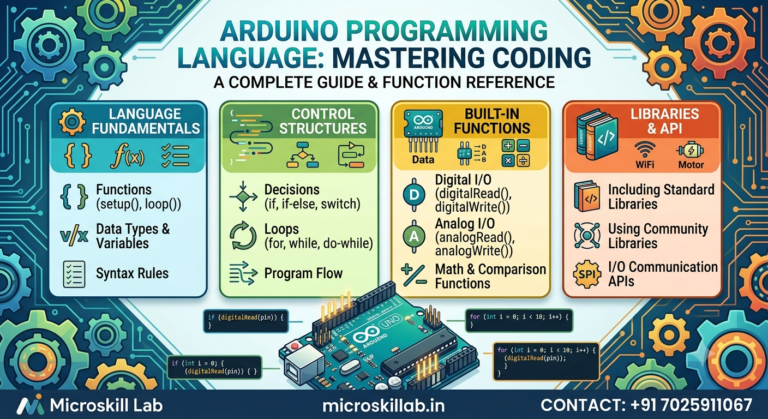
The Arduino programming language is not a separate language at all — it is C++ with a simplified library layer built on top. When you write a sketch in the Arduino IDE, you are writing C++ code that a compiler translates into machine instructions for the microcontroller. The confusion arises because Arduino hides the complex setup code that plain C++ requires. For students and beginners across Bangalore, Kerala, and Tamil Nadu starting their embedded systems journey, understanding this distinction matters. It tells you exactly which skills transfer to professional embedded roles at companies in Electronic City and Whitefield.
setup() and loop() exist and what the compiler does with them behind the scenes.Every Arduino sketch you write is a C++ program. The .ino file extension is a convenience, not a new programming language format.
Before compilation, the Arduino IDE quietly transforms your sketch. It automatically adds #include <Arduino.h>, generates function prototypes, and creates a hidden main() function.
That hidden main() calls your setup() function once and your loop() function repeatedly forever. This is standard C++ behaviour presented in a beginner-friendly way.
Our trainers demonstrate this during the Arduino Programming and Projects Course. Once students see the generated code, the Arduino compilation process becomes much easier to understand.
The phrase “Arduino programming language” became popular because Arduino originally marketed it that way to make learning easier. In reality, there is no separate Arduino compiler.
Arduino boards use the GCC compiler family, including avr-gcc for AVR-based boards and arm-none-eabi-gcc for ARM-based boards. These are the same professional compiler toolchains used throughout embedded systems development.
Understanding the relationship between C and C++ helps clarify where Arduino belongs in the embedded systems ecosystem.
C remains the dominant programming language for production firmware worldwide. Companies such as Bosch, Continental, Siemens, Wipro, and many product companies across Bangalore continue to build embedded firmware primarily in Embedded C.
C++ is largely a superset of C, meaning most valid C programs can also compile as C++. This is why many Arduino sketches resemble ordinary C programs.
Functions such as digitalWrite() and pinMode() look like ordinary C functions, while Serial.begin() demonstrates object-oriented C++ programming.
Arduino introduces object-oriented programming gradually through built-in libraries.
Serial is a C++ object.Servo is implemented as a C++ class.String is another C++ class.Serial.print() to accept integers, floating-point values, characters, and strings using the same function name.| Feature | Plain C | C++ | Arduino Sketch |
|---|---|---|---|
| Functions and variables | Yes | Yes | Yes |
| Classes and objects | No | Yes | Yes (Serial, Servo) |
| Function overloading | No | Yes | Yes (Serial.print) |
main() written by you | Yes | Yes | No — automatically generated |
| Manual register setup | Required | Required | Hidden by Arduino libraries |
| Typical use | Production firmware | Complex embedded software | Learning and rapid prototyping |
Our Electronics Fundamentals Programme prepares students for both Embedded C and Arduino programming so the transition feels natural.
The Arduino IDE hides most of the complexity involved in building embedded software. Knowing what happens underneath helps you become a stronger embedded programmer.
Every Arduino program follows four stages before reaching your microcontroller.
The linker combines your compiled sketch with the Arduino Core libraries and any additional libraries your project uses. The resulting .hex file is uploaded to the ATmega328P bootloader over the USB serial connection.
A simple statement such as:
digitalWrite(13, HIGH);
actually performs several low-level operations behind the scenes, including register lookup, port selection, and bit manipulation.
Although this convenience slightly reduces execution speed, it makes Arduino ideal for beginners.
During our laboratory sessions in Bangalore, students compare Arduino functions with direct register manipulation using oscilloscopes, making the performance difference immediately visible.
Ready to stop guessing and start building? Learn Arduino programming the correct way—as real C++—with structured labs, live hardware, and trainers who have shipped production firmware. We take students from their first Blink sketch to working sensor projects with genuine understanding, not copied code. Enrol in our Arduino Programming Course →
Arduino syntax is simply C++ syntax. Learning Arduino properly means learning skills that transfer directly into professional embedded development.
Every Arduino sketch contains two required functions.
setup() executes once after reset or power-up.loop() executes continuously until power is removed.This endless execution model mirrors how real embedded firmware works inside products such as washing machines, automotive controllers, and industrial automation systems.
int, float, char, bool, and byte.//./* ... */.#, such as #include and #define.We reinforce these programming fundamentals before students begin sensor interfacing because strong foundations produce better embedded engineers.
Strong fundamentals in functions and data types separate hobbyists from employable firmware developers.
An Arduino Uno provides only 2 KB of SRAM. Choosing the correct data type becomes extremely important when memory is limited.
Using a byte where appropriate instead of an int conserves valuable RAM, exactly the same consideration engineers make when writing firmware for automotive and industrial microcontrollers.
Our curriculum teaches students to estimate memory usage manually because interviewers across Bangalore frequently ask memory optimisation questions.
Beyond setup() and loop(), students quickly begin writing their own helper functions.
Good programming practices include:
const whenever data should not change.These practices become even more valuable as students progress into our Embedded Systems Pro Programme.
Arduino is the beginning of an embedded engineering journey rather than the final destination.
Each stage builds directly upon the previous one. Skipping foundational stages is one of the most common reasons learners struggle later.
Students commonly continue into our PIC Microcontroller Programming Programme after mastering Arduino fundamentals.
Embedded engineers across Bangalore’s Electronic City and Whitefield work in automotive electronics, industrial automation, IoT products, and consumer electronics.
Entry-level embedded engineering salaries typically range from ₹3.5–6 LPA, while engineers with three to five years of firmware experience often earn ₹8–15 LPA depending on their specialisation. These salary figures should always be verified against current market conditions.
Arduino alone rarely secures these positions. Arduino combined with strong Embedded C skills and one or more substantial hardware projects frequently does.
Your learning method matters as much as the content itself. Many beginners struggle because they watch tutorials passively instead of actively building projects.
Typing every program yourself builds far stronger long-term retention than copying code.
Three complete, well-documented Arduino projects impress recruiters far more than dozens of unfinished experiments.
Our trainers guide every student through a complete capstone project that includes hardware assembly, firmware development, documentation, and presentation—exactly the type of evidence employers across Karnataka’s embedded systems industry value.
If you are unsure where to begin, contact our Bangalore training team and we will help map the right learning path based on your current experience and career goals.
It is C++. Arduino sketches are compiled as C++ using the GCC toolchain, with the Arduino libraries simplifying hardware access.
Yes. Since C++ accepts most standard C syntax, ordinary C code generally compiles successfully inside Arduino sketches with only minor adjustments.
No. Arduino provides an excellent entry point into programming. Most learners study Embedded C afterwards when preparing for professional firmware development.
Arduino is primarily used for education, prototyping, proof-of-concept development, and rapid product validation. Production products typically replace Arduino boards with custom hardware running Embedded C or C++ firmware.
No. All Arduino boards use the same C++ programming model. The only difference is the underlying microcontroller architecture.
Most beginners become comfortable writing basic sketches within four to six weeks of consistent hands-on practice. More advanced embedded programming skills naturally develop with continued project work.