
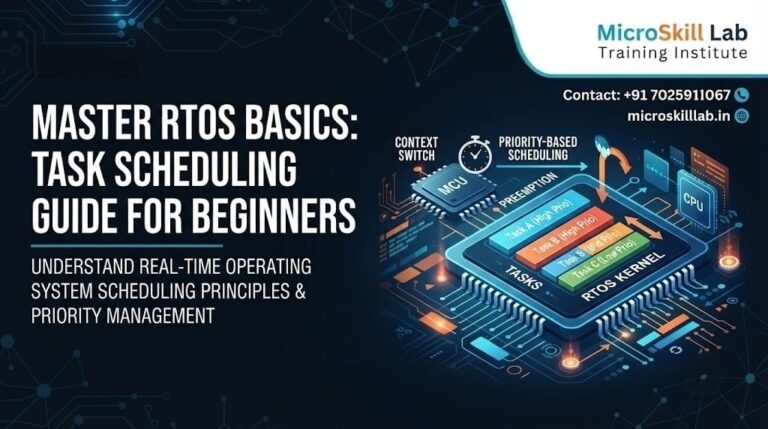
RTOS Tutorial for Beginners: A Practical Guide
An RTOS, or real-time operating system, is lightweight software that lets a microcontroller run several tasks on a predictable schedule. This RTOS tutorial for beginners is written for engineering students and freshers across Bangalore and South India who want to move beyond bare-metal loops. We explain task scheduling, show practical FreeRTOS examples, and connect each concept to real embedded programming work.
By the end, you will understand how a real-time system manages priorities, timing, and shared resources on a resource-constrained chip. Our trainers use these same fundamentals daily when preparing learners for embedded roles in Karnataka’s electronics corridor. This guide stays practical, so every idea maps to something you can build on real hardware.
⚡ Key Takeaways
- You will learn what an RTOS is and why task scheduling matters for reliable embedded systems.
- You will see practical FreeRTOS examples that run on common ARM microcontroller boards.
- You will understand tasks, priorities, delays, queues, and semaphores in plain language.
- You will discover how RTOS skills raise your salary and employability across Bangalore.
- You will get a clear roadmap for choosing your first real-time systems project.
- You will know how our structured courses shorten your learning curve considerably.
What Is an RTOS and Who Should Learn It?
A real-time operating system sits between your application code and the microcontroller hardware. It schedules independent units of work called tasks, deciding which one runs at any moment. This gives your embedded programming projects deterministic timing that a simple loop cannot guarantee.
For a beginner, the RTOS removes the burden of manually juggling multiple jobs inside one giant while loop. The word “real-time” means the system guarantees a response within a known deadline, not that it runs fast. That distinction matters in fields like automotive braking, where a late response counts as a failure.
Why Beginners Reach a Bare-Metal Ceiling
Most learners start with a super-loop that reads sensors, blinks LEDs, and handles buttons in sequence. This works until timing conflicts appear and one slow function starves the others. An embedded operating system solves this by letting each job live in its own task with its own priority.
We introduce this shift early so students in our Bangalore batches build the right mental model. A single blocking delay in a super-loop freezes every other job until it finishes. Once learners feel that difference on real hardware, the value of an embedded operating system becomes obvious.
Who This Tutorial Is Built For
This guide suits ECE, EEE, and CSE students, diploma holders, and working freshers exploring embedded systems. You need only basic C knowledge and familiarity with a microcontroller such as an ARM Cortex-M board. If you have written Arduino sketches, you already have enough background to follow along.
Learners wanting deeper structure can explore our embedded systems training programme for guided practice. The concepts here scale from a simple two-task blinker up to full production firmware. We keep the entry bar low so motivated beginners never feel locked out of real-time systems.
How Task Scheduling Works Inside a Real-Time System
Task scheduling is the heart of any RTOS and the concept beginners must master first. The scheduler is a small routine that decides which task gets the processor next. It uses priorities and timing rules to keep high-importance work responsive.
Understanding this mechanism turns confusing kernel behaviour into something predictable and debuggable. A tick timer interrupt drives the scheduler at a fixed rate across the whole system. On each tick, the kernel checks whether a higher-priority task should now take over.
Preemptive Priority-Based Scheduling
Most beginner-friendly kernels, including FreeRTOS, use preemptive priority scheduling by default. The scheduler always runs the highest-priority task that is ready to execute. When a more urgent task becomes ready, it preempts the running one immediately.
This is why a well-designed real-time system meets deadlines even under heavy load. Beginners should assign priorities carefully, since a badly ranked task can starve the whole microcontroller. We spend real lab time on this, because priority mistakes cause many early scheduling bugs.
The Task States You Must Know
Every task moves between a few clear states during execution on the chip. The main states are Running, Ready, Blocked, and Suspended, and each has a specific meaning. A task becomes Blocked when it waits for a delay, a queue, or a semaphore.
We drill these states in class because misreading them causes most beginner scheduling bugs. A Blocked task consumes no processor time, which is exactly what makes an RTOS efficient. Tracing state transitions on a debugger cements this understanding faster than any lecture across our Karnataka cohorts.
Setting Up Your First RTOS Project
Getting a working environment ready is often where beginners lose momentum. A clean toolchain and a supported board remove most early frustration. We standardise our lab setups so learners spend time on concepts, not configuration.
This section covers the practical foundation for your first embedded operating system build. Choosing common hardware means abundant examples and community help when you get stuck. That support network matters greatly when you are troubleshooting your very first port.
Hardware and Toolchain Choices
FreeRTOS runs on almost every popular ARM microcontroller, which keeps costs low for students. Common choices include the STM32 Nucleo, ESP32, and Raspberry Pi Pico boards. You will also need a C compiler, a debugger, and a vendor IDE such as STM32CubeIDE.
Learners strengthening core skills first can review our Arduino programming course before moving to bare RTOS ports. Each of these boards costs only a few hundred rupees, ideal for South Indian students on tight budgets. We insist on a real debugger early, because it teaches far more than reading code alone.
A Minimal Two-Task Example
The classic first project runs two tasks that blink separate LEDs at different rates. Each task holds its own infinite loop with a vTaskDelay() call to yield the processor. The scheduler switches between them so both LEDs blink independently without blocking.
This tiny example demonstrates the core promise of a real-time operating system more clearly than any diagram. In a super-loop, blinking two LEDs at different rates forces awkward timing arithmetic. Seeing both LEDs blink correctly on the first try convinces most beginners immediately.
Here is a simplified FreeRTOS task structure that beginners recognise quickly:
- xTaskCreate() registers a task with the scheduler and sets its priority.
- The task function contains an infinite loop with real work inside.
- vTaskDelay() puts the task into the Blocked state for a set period.
- vTaskStartScheduler() hands control to the RTOS to begin multitasking.
Communication Between Tasks: Queues and Semaphores
Real projects need tasks to share data and coordinate safely. Doing this with global variables invites race conditions and unpredictable crashes. An RTOS provides safe primitives designed exactly for this problem.
Mastering them separates hobby code from production-grade embedded programming. These primitives also let interrupts hand work to tasks without corrupting shared data. We treat this topic as a turning point in every beginner’s real-time systems journey.
Using Queues to Pass Data
A queue is a thread-safe buffer that moves data from one task to another. A sensor task can push readings into a queue while a display task pops them. This decouples the two tasks so neither has to wait unnecessarily on the other.
We teach queue-based design because it scales cleanly as projects grow in our advanced modules. The xQueueSend() and xQueueReceive() calls handle all the internal locking for you. A receiving task can block on an empty queue and wake automatically when data arrives.
Semaphores and Mutexes for Shared Resources
A semaphore signals events between tasks or between an interrupt and a task. A mutex protects a shared resource, such as an I2C bus, from simultaneous access. Beginners often confuse the two, so we contrast them with hands-on lab exercises.
Correct use prevents priority inversion and data corruption in real-time systems on hardware. A binary semaphore is perfect for safely waking a task from an interrupt. A mutex, by contrast, tracks ownership so only the locking task can release it.
Ready to build these skills with structured guidance? Our trainers mentor you from your first blinking LED to full multitasking firmware, using the same tools Bangalore employers expect. Explore the Embedded Systems Pro Programme →
RTOS Skills and Your Embedded Career in Bangalore
RTOS knowledge is one of the most requested skills in embedded job listings. Companies building automotive, IoT, and industrial products rely on real-time firmware daily. Bangalore’s position as India’s electronics hub makes these skills especially valuable here.
Learning a real-time operating system well directly improves both your employability and your starting salary. Product teams increasingly expect freshers to understand tasks and scheduling from day one. This demand shows no sign of slowing across Karnataka’s growing electronics corridor.
Salary Benchmarks and Hiring Demand
Embedded freshers in Bangalore typically earn ₹3.5–6 LPA, while engineers with two to four years reach ₹7–14 LPA as of 2026. These figures are indicative and should be verified against current listings before you rely on them. Firms across Electronic City and Whitefield actively hire for RTOS-capable roles.
Named hiring partners should always be confirmed directly, as demand shifts quarter to quarter. Product companies near Manyata Tech Park regularly post firmware openings that list RTOS experience. Candidates who can show a working multitasking project stand out sharply in these interviews.
Roles That Value RTOS Expertise
Several embedded roles list real-time systems experience as a core requirement. These roles cluster heavily around Bangalore’s product and semiconductor employers. Building one solid RTOS project on your resume opens doors to all of them.
The following positions commonly appear in the Karnataka electronics corridor:
- Embedded firmware engineer working on microcontroller-based products.
- Real-time systems developer for automotive or industrial control units.
- IoT device engineer integrating sensors, connectivity, and RTOS scheduling.
- Firmware validation engineer testing timing-critical embedded software.
Learners targeting connected-device roles can pair RTOS study with our IoT training programme for a stronger profile.
Comparing RTOS Against Bare-Metal Programming
Beginners often ask when an embedded operating system is worth the added complexity. The honest answer depends on your project’s timing and concurrency needs. A clear comparison helps you decide before writing a single line of code.
We frame this trade-off early so learners choose the right approach for each task. Neither method is universally better, and good engineers switch between them deliberately. Knowing why you picked one signals real maturity to any interviewer.
When Bare-Metal Is Enough
Simple projects with one or two jobs rarely need a full RTOS. A single sensor logger or a basic blinker runs fine on a super-loop. Adding an RTOS here only increases memory use and learning overhead.
Knowing this restraint is itself a mark of embedded programming maturity. A tiny microcontroller with a few kilobytes of RAM may not fit a kernel comfortably. In those cases, a clean bare-metal design remains the professional choice.
When an RTOS Becomes Essential
Once a project juggles several timed jobs, a real-time kernel pays for itself. Multitasking, deadlines, and safe communication become far easier to manage. Adding a feature then means creating one more task rather than rewriting a fragile loop.
Products with networking, sensors, and user interfaces almost always justify a real-time kernel. Our learners who grasp this trade-off make cleaner architecture decisions on the job. The table below summarises the practical differences beginners should weigh.
Bare-Metal vs RTOS: A Beginner's Comparison
| Factor | Bare-Metal Loop | RTOS Approach |
|---|---|---|
| Timing control | Manual and fragile | Deterministic scheduling |
| Multitasking | Hard to scale | Native task support |
| Memory footprint | Very small | Slightly larger |
| Learning curve | Gentle at first | Steeper but rewarding |
| Best for | Simple single jobs | Complex concurrent systems |
Choosing the Right RTOS Training in Bangalore
Self-study can take a beginner far, but structured training accelerates real competence. The challenge is separating genuine hands-on courses from theory-only classes. A good programme combines fundamentals, live projects, and mentorship on real hardware.
We built our curriculum around that exact principle for South Indian learners. Small batches let trainers spot each learner’s specific debugging blind spots quickly. That personal attention is hard to replicate through free videos alone.
What a Strong Curriculum Should Cover
A worthwhile RTOS course moves from concepts to working firmware step by step. It should cover tasks, scheduling, queues, semaphores, and debugging on real boards. Look for capstone projects that mirror actual industry problems rather than toy demos.
Foundational learners can begin with our electronics fundamentals course to build confidence first. Those drawn to lower-level device work can also explore our PIC microcontroller training for broader exposure. These transferable habits matter far more than memorising any single kernel’s function names.
Comparing Your Learning Options
Not every path suits every learner, so weigh cost against outcomes carefully. Free resources demand strong self-discipline and offer no feedback when you stall. A structured programme trades higher cost for faster, more reliable progress.
The comparison below contrasts three common routes for mastering real-time systems.
Learning Path Comparison for RTOS Beginners
| Option | Cost | Hands-On Practice | Mentor Support |
|---|---|---|---|
| Free tutorials | Low | Self-arranged | None |
| Generic online course | Medium | Limited | Minimal |
| Structured institute programme | Higher | Extensive lab work | Direct trainer access |
When you feel ready to enrol or ask about batches, our team is happy to help through the Microskill Lab enquiry page.
Frequently Asked Questions
Do I need to know C well before learning an RTOS?
You need comfortable, not expert, C knowledge to start this RTOS tutorial for beginners. Understanding functions, pointers, and structures is enough to follow FreeRTOS examples. We reinforce weak C areas early so scheduling concepts land properly in class.
Which RTOS should a beginner start with?
FreeRTOS is the most beginner-friendly choice because of its huge community and free licence. It runs on nearly every ARM microcontroller students already own. Once you understand FreeRTOS, moving to other real-time systems becomes straightforward.
How long does it take to learn RTOS basics?
A motivated beginner can grasp core task scheduling within a few focused weeks. Reaching confident, project-ready skill usually takes two to three months of practice. Structured guidance shortens this considerably by removing trial-and-error delays.
Can I learn RTOS without expensive hardware?
Yes, affordable boards like the Raspberry Pi Pico or ESP32 cost very little in India. These support FreeRTOS fully and suit every example in this guide. We still recommend real hardware early, because embedded programming rewards hands-on debugging.